


Prisma Art Effect Photo Editor
4.519.92K Reviews
App Specs
- Version
- 4.6.6.637
- Updated On
- License
- Free
- Downloads
- 50,000,000+
- Developer
- Prisma Labs, Inc.
- Categories
- Photography
- Platform
- Android
Screenshots
 Analysis by AppCompare
I see Prisma Art Effect Photo Editor as a playful photo editor with a clear strength: it can make a familiar picture feel newly expressive without asking you to learn a complicated editing workflow. I like it best as a creative finishing tool, not as an all-purpose replacement for a camera editor. Its art-led approach is distinctive, but the results depend on choosing a suitable photo and knowing when to stop adjusting the effect.
A quick way to change the mood of a photo
Prisma is a photography app from Prisma Labs, Inc., and it has been around since July 24, 2016. Its current version is 4.6.4.632, and it has a 4.5 average from around one million ratings, with more than 50 million installs. Those figures suggest it has found a lasting audience, but what matters in everyday use is how quickly you can get from an ordinary image to something with a more personal look.
The basic idea is easy to understand: choose a picture, browse the available artistic treatments, and compare how each changes the image. That makes it approachable even if you usually edit photos by cropping or adjusting brightness only. The app is free to start, rated for Everyone, and offers in-app purchases ranging from $0.99 to $49.99 per item, so it is sensible to explore the free experience before deciding whether paid access suits your habits.
Unleashing Your Inner Artist
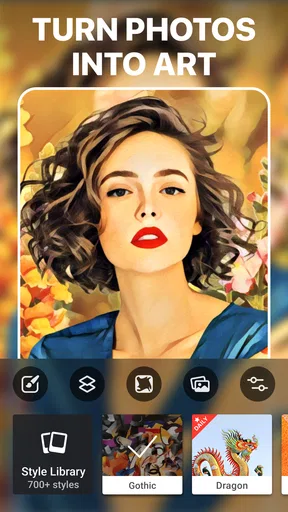
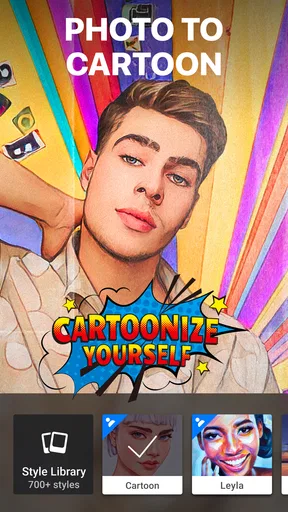
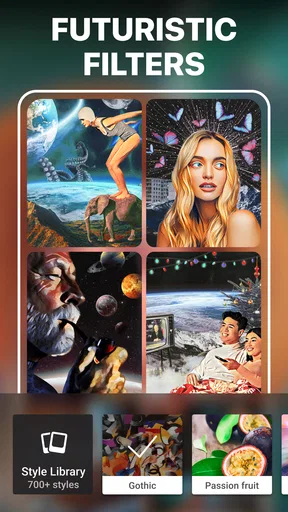
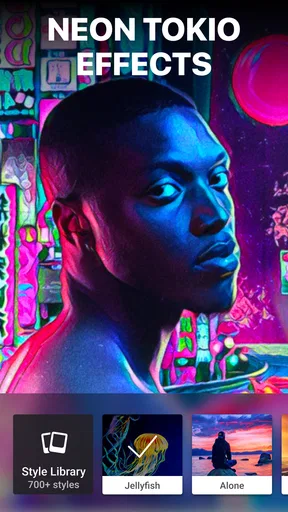
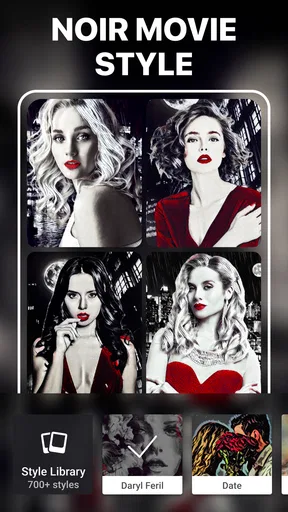
Right from the get-go, Prisma Art Effect Photo Editor impresses with its user-friendly interface. You don’t have to be a tech wizard to navigate through the options. Once you upload a photo, it’s all about choosing the perfect filter to breathe new life into your image. The app offers a plethora of styles inspired by famous artists like Munch, Picasso, and Van Gogh. So, if you’ve ever wondered what your selfie would look like as an abstract masterpiece, now you can find out!
Features That Stand Out
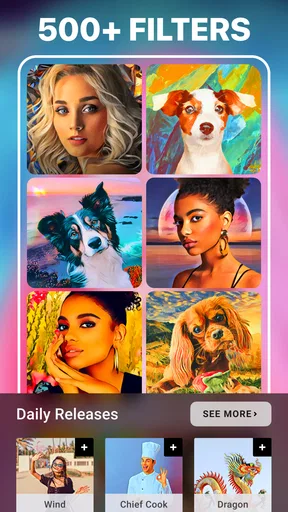
What really makes Prisma shine is its vast collection of filters and effects. You can spend hours experimenting with different styles, and each one offers a unique twist. The app uses AI to apply these effects, which means the result isn’t just a slapdash overlay but a carefully crafted transformation. The process is quick, and watching your photo morph into a work of art is oddly satisfying.
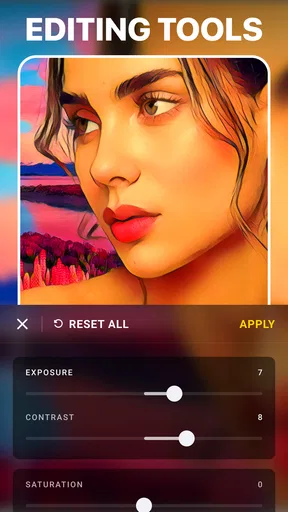
Another cool feature is the app's ability to fine-tune your images. Once you’ve settled on a filter, you can adjust the intensity to suit your taste. This feature is a game-changer for those who want a subtle touch rather than a full-blown artistic overhaul.
Making the most of a filter
One useful habit is to test a few contrasting styles on the same picture before committing. A portrait that looks striking with a bold treatment may become muddy with a more textured one; the comparison helps you judge the effect rather than simply choosing the most dramatic thumbnail. I also recommend lowering the intensity before deciding a filter is wrong. A restrained treatment can keep facial features and background detail readable while still giving the image a distinctive mood.
Worth Reading Before You Choose

EA SPORTS FC Mobile 26 Is a Bigger Football Game, but It Takes Time

Flipboard Shows What News Apps Must Do Beyond the Feed

Switching to Android Auto Means Rethinking Your Driving Routine

Google Calendar Makes a Crowded Week Easier to Manage

Ludo King Makes the Most of the Minutes Between Plans

Baby Panda World Brings Quick Play to Modern Phones, but Its Game Library Feels Busy
For a more deliberate result, start with a well-framed original rather than expecting the effect to repair a weak shot. Prisma changes the visual character of a photo, but it is not a substitute for getting the subject in focus or choosing a useful composition. I would crop or straighten first in a regular editor if needed, then bring the cleaner image into Prisma. That simple order gives the artistic treatment less visual clutter to work against.
Where it fits in a real routine
Imagine taking a quick portrait during a weekend walk and wanting to share something more memorable than the unedited camera image. I would try a few styles, compare the results at a smaller intensity, and save the version that keeps the expression recognizable. The same approach works for a pet portrait, a close-up of flowers, or an old building with clear shapes. In each case, the point is not to make every photo look like a painting; it is to choose one image where the treatment adds atmosphere.
That selective use is also a practical way to avoid a gallery full of near-identical edits. I would keep the original and treat the Prisma version as an alternate interpretation, especially for a photo I care about. If I am preparing several pictures for one post, I would apply a consistent visual direction rather than use a different conspicuous style on every image. The latter can be fun for experiments, but a coherent set usually feels more considered.
Sharing Your Masterpiece
One of the joys of creating art is sharing it, and Prisma makes this super easy. The app is well-integrated with social media platforms, so you can instantly share your new creations with friends and followers. Whether it’s Instagram, Facebook, or any other platform, your friends are bound to be impressed by your newfound artistic flair.
Choosing between Prisma and a standard editor
Compared with the usual general-purpose photo editors, Prisma is more focused on changing the image’s style than on making careful technical corrections. If I need to correct exposure, remove distractions, or prepare a natural-looking portrait, I would reach for a conventional editor first. Prisma makes more sense when the photo is already usable and I want a painterly or otherwise artistic finish that a basic brightness-and-contrast workflow will not provide as directly.
There is a trade-off in that focus. A specialist effect can make a single image feel fresh, but it is not necessarily the best choice for every shot or every social post. If your main goal is a realistic retouch, a tidy crop, or a batch of consistent everyday adjustments, a standard editor is likely to be more efficient. If you enjoy experimenting with visual styles and do not mind judging each result individually, Prisma has a clearer reason to stay on your phone.
Exploring the Community
Prisma also boasts a vibrant community where you can draw inspiration from other users. The app features a feed where you can check out what others have created. It’s a great way to discover new styles and techniques that you might not have considered before. Plus, seeing the creativity of others can motivate you to experiment even more.
Who will enjoy it most
I would recommend Prisma to casual photographers, people who like turning portraits into conversation pieces, and anyone who wants a low-effort way to explore an artistic look. It is especially appealing if you prefer choosing from ready-made visual treatments over building an edit from separate controls. The app can also be useful when you have one strong photo that deserves a more distinctive presentation, rather than a whole folder that needs routine correction.
I would skip it, or at least keep it as a secondary tool, if you mainly want faithful color, detailed retouching, or a predictable workflow for editing many images. The stylized result is the point, so it may feel excessive when you simply want a clean, natural photo. People who dislike trial and error may also find that browsing options takes longer than applying a straightforward correction in a general editor.
Things to Keep in Mind
While Prisma is a fantastic app, it does have a few quirks. The free version offers a decent selection of filters, but if you really want to unlock the app’s full potential, there’s a subscription plan. It’s something to consider if you’re serious about using the app frequently.
Additionally, some filters work better with certain types of photos. High-contrast images or those with distinct lines and patterns tend to yield the best results. It might take a bit of trial and error to find the perfect combination, but that’s part of the fun, right?
What to expect before you settle on it
A common question is whether Prisma is useful if you are not an experienced photographer. I think it is, because the core process is simple and the app does much of the stylistic work for you. The more important skill is selection: noticing whether a filter preserves the subject and supports the mood you want. You do not need formal art knowledge, but a little patience while comparing options improves the outcome.
Another practical question is whether the app makes sense as a regular editor. For me, it works better as an occasional creative stop in a broader photo routine. I would use a standard tool for basic cleanup, then bring in Prisma when a particular image could benefit from a more expressive treatment. And if you are unsure about paying, try the free experience first; the available in-app purchases vary, so consider how often you actually use the styles before spending.
Final Thoughts
All in all, Prisma Art Effect Photo Editor is a delightful app that offers endless possibilities for creativity. Whether you're looking to dabble in digital art or simply want to spice up your social media feed, Prisma has something for everyone. Its ease of use and impressive results make it a must-have for anyone interested in photography or art. So go on, unleash your inner artist, and let Prisma transform your photos into masterpieces.
Pros
- Impressive AI art transformations.
- Easy-to-use interface.
- Variety of filters available.
- Fast processing speed.
- Supports high-resolution images.
Cons
- Requires internet for full features.
- Subscription needed for premium filters.
- Occasional in-app ads.
- Limited free filter options.
- May slow down on older devices.
FAQs for Prisma Art Effect Photo Editor
What is Prisma Art Effect Photo Editor?
Prisma Art Effect Photo Editor is an app that transforms your photos into artworks using the styles of famous artists, such as Van Gogh, Picasso, and more. With a variety of filters and editing tools, it allows users to create unique and visually striking images easily.
How does Prisma Art Effect Photo Editor work?
Prisma Art Effect Photo Editor uses advanced artificial intelligence algorithms to apply artistic filters to your images. By analyzing your photo's structure and style, the app transforms it into a work of art, making use of various artistic techniques and styles inspired by renowned artists.
Is Prisma Art Effect Photo Editor free to use?
Prisma offers both free and premium versions. The free version includes a selection of filters and tools, while the premium subscription provides access to exclusive filters and advanced editing features. Users can choose a plan that best suits their needs and preferences.
What devices are compatible with Prisma Art Effect Photo Editor?
Prisma Art Effect Photo Editor is available for both Android and iOS devices. Users can download the app from the Google Play Store or the Apple App Store, ensuring compatibility with most smartphones and tablets running recent operating systems.
Does Prisma Art Effect Photo Editor require an internet connection?
While some features and filters require an internet connection to access Prisma's cloud-based processing, the app also offers offline capabilities. Users can apply basic filters and perform simple edits without an internet connection, making it versatile for various situations.


